top of page


NUVAXS Browser
User Manual
Log in
Step 1
Open your browser and enter the URL: https://my.vogten.me/#/GatewayList
Step 2
Enter your registered account and password.(Please register your account in the app first.)

Step 3 Power on the device
Tap the device you want to operate.

2. User Interface Overview
Camera Selection
PTZ Mode
Log Out
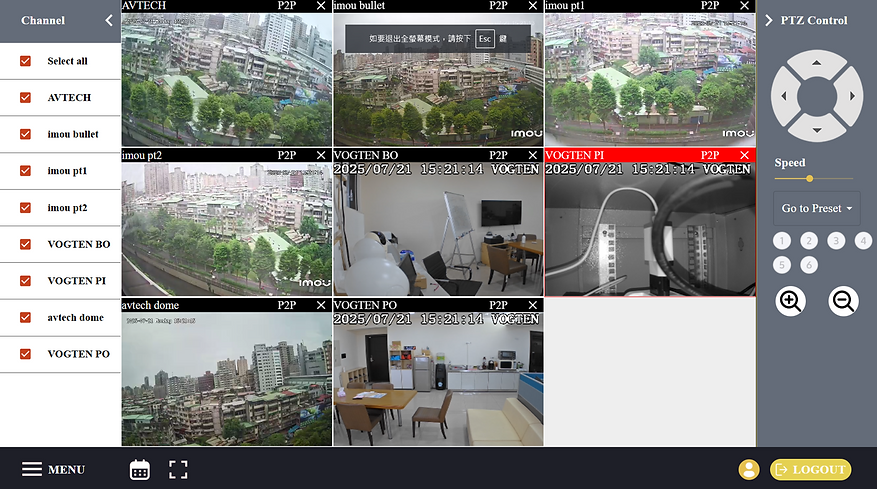
System Settings Menu
Fullscreen Mode
Playback Mode
3. Playback Mode Overview
Camera Selection

Playback Calendar Options
Playback Timeline
4. Video Download Operation

Step 1
Click the Download Button

Step 2
Select the Time Range for Download

Step 3
You Can Also Scan the QR Code to Download
5. System Settings Page
System Settings Options

System Settings Options
Language Settings Options
bottom of page